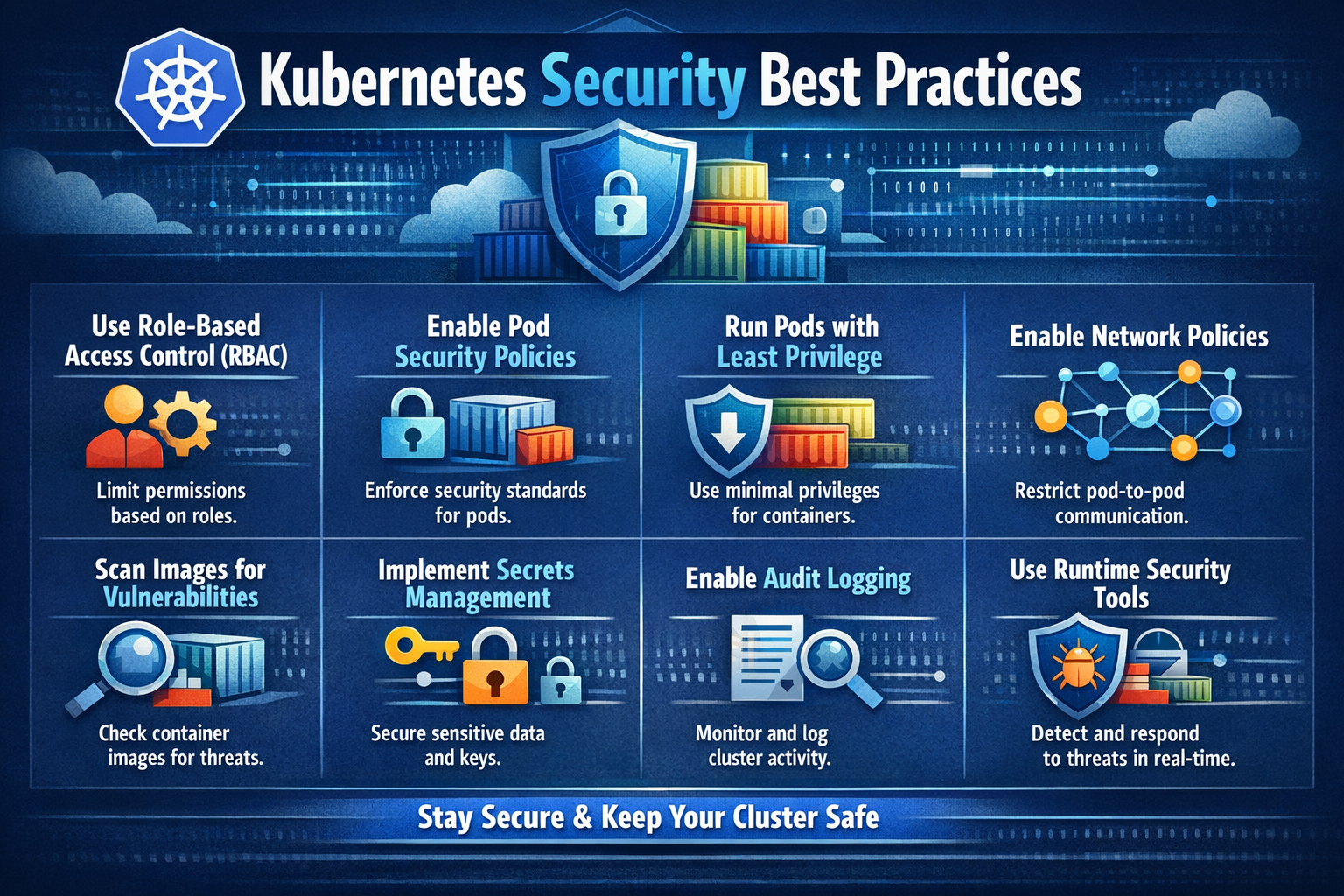
Kubernetes Security Best Practices
March 25, 2024
Hardening the Ship: Essential Kubernetes Security Best Practices
As Kubernetes continues to dominate the container orchestration landscape, it has become a primary target for sophisticated threat actors. While Kubernetes offers incredible scalability and agility, its default configurations are often designed for ease of use rather than maximum security.
Securing a cluster isn’t a one-time task; it’s a continuous process of “shifting left” and maintaining vigilance. In this post, we’ll dive into the core pillars of Kubernetes security to help you fortify your infrastructure.
1. Strengthening the Foundation: Cluster Security
The control plane and the underlying infrastructure form the backbone of your cluster. If the foundation is weak, the entire system is at risk.
Implementing Robust RBAC
Role-Based Access Control (RBAC) is your first line of defense. The Principle of Least Privilege (PoLP) should be your guiding star.
- Avoid
cluster-admin: Limit the number of users with global administrative rights. - Namespace Isolation: Grant permissions at the namespace level rather than the cluster level whenever possible.
- Audit Service Accounts: Periodically review service accounts to ensure automated processes don’t have more power than they require.
Zero-Trust Network Policies
By default, Kubernetes allows all pods to communicate with each other. In a production environment, this is a significant lateral movement risk.
- Default Deny: Implement a “default-deny-all” ingress and egress policy.
- Micro-segmentation: Explicitly define which pods are allowed to talk to one another based on labels and ports.
Secrets Management
Kubernetes Secrets are, by default, stored unencrypted in etcd (only base64 encoded).
- Encryption at Rest: Enable providers like AWS KMS, Azure Key Vault, or Google KMS to encrypt
etcd. - External Vaults: For high-security environments, consider integrating HashiCorp Vault or CyberArk to manage sensitive data outside the cluster.
Transitioning from PSP to Pod Security Admission (PSA)
Pod Security Policies (PSP) are deprecated. Modern clusters should utilize Pod Security Admission, which implements the Pod Security Standards (PSS): Privileged, Baseline, and Restricted. Aim for the “Restricted” profile for all non-system workloads.
2. Securing the Cargo: Container Security
Your applications are the reason the cluster exists. Securing the container lifecycle is vital to preventing supply chain attacks.
Image Scanning and Provenance
Security starts in the registry.
- Shift Left: Integrate vulnerability scanning (like Trivy or Grype) directly into your CI/CD pipeline.
- Distroless Images: Use minimal base images to reduce the attack surface. If a shell isn’t in the image, an attacker can’t use it.
- Image Signing: Use tools like Cosign to ensure that only verified, signed images are deployed to your production nodes.
Security Contexts
The securityContext field in your YAML manifest defines the privilege level of a pod.
- Run as Non-Root: Ensure
runAsNonRoot: trueis set. - Read-Only Root Filesystem: Prevent attackers from installing malicious binaries by setting
readOnlyRootFilesystem: true. - Drop Capabilities: Remove unnecessary Linux capabilities (e.g.,
NET_RAW) to limit what a compromised container can do.
# Example of a hardened Security Context
spec:
  securityContext:
    runAsNonRoot: true
    runAsUser: 1000
  containers:
  - name: secure-app
    securityContext:
      allowPrivilegeEscalation: false
      readOnlyRootFilesystem: true
      capabilities:
        drop:
          - ALL
3. Continuous Visibility: Monitoring and Auditing
You cannot defend what you cannot see. Observability is the difference between a minor incident and a total breach.
Enable Audit Logging
Audit logs answer the “Who, What, When, and Where” of every API call.
- Define an Audit Policy to capture metadata or request bodies for sensitive resources like Secrets and ConfigMaps.
- Stream these logs to a centralized SIEM (Security Information and Event Management) for real-time analysis.
Runtime Security Monitoring
Static scanning isn’t enough; you need to know what’s happening while the container is running.
- Behavioral Analysis: Use tools like Falco to detect anomalous behavior, such as a container suddenly spawning a shell or making unexpected outbound network connections.
Regular Assessments and Benchmarking
- CIS Benchmarks: Use kube-bench to check whether your cluster meets the Center for Internet Security (CIS) best practices.
- Configuration Auditing: Tools like Kubescape or Polaris can scan your live cluster for configuration drift and security gaps.
Final Thoughts
Kubernetes security is a multi-layered journey. By implementing strict RBAC, hardening your container manifests, and maintaining deep visibility through auditing, you significantly raise the cost of an attack.
Stay tuned! In our next post, we’ll dive deep into Service Mesh security and how to implement mTLS for encrypted pod-to-pod communication.
Questions about your K8s setup? Drop a comment below or reach out on LinkedIn!